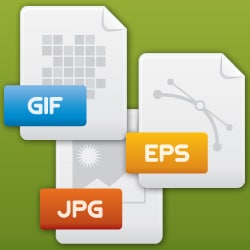
After the enthusiasm of my last article, I realized that you needed further explanations about the different types of files. When we work with a graphic designer, we use different formats for a professional and high-quality output. In addition to delivering the logo, for example, I provide my client with the visual support in different formats: .png, .ai, .jpg, .psd…
Here is the list of 9 different formats for an image that you may encounter:
1. AI: Adobe Illustrator
Adobe Illustrator (AI) is a file format developed by Adobe to represent a vector drawing in EPS or PDF. The.ai is the file extension used by Adobe Illustrator.
AI files are vector files used by graphic designers and printers to generate communication materials in various formats. AI files can only be opened with Adobe Illustrator.
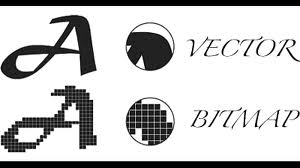
The advantage is being able to resize the image as desired without stair-stepping or pixelation effects.
2. EPS: Encapsulated Postscript
EPS files are most commonly used to transfer an image or illustration, typically from a vector file to another application. Essentially, EPS vector files adapt to any size. EPS files can be opened with Adobe Illustrator, Freehand, or Adobe Photoshop.
3. PDF: Portable Document Format
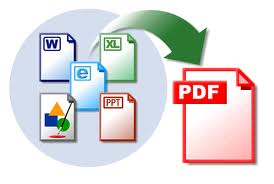
A PDF version is a universal file format that retains the fonts, images, layout, and graphics of the source document, regardless of the application used to create it. PDF files can be shared, viewed, and printed by anyone with the free Adobe Reader software. Some PDF files can be used for commercial, digital, and/or desktop printing.
4. PSD: Photoshop Document
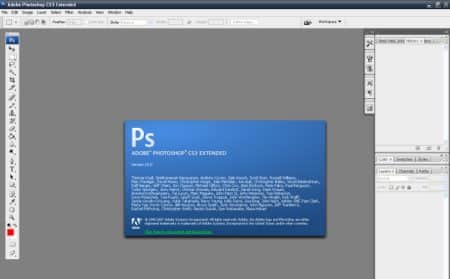
The PSD file format is generally a bitmap format that contains graphics and photos created in Adobe Photoshop, an image editing software. PSD files can be opened with Photoshop and can be created in layers.
5. JPG: Joint Photographic Experts Group
A JPG file is a compressed image file that does not support a transparent background. The level of compression of JPG files can vary from high-quality resolution for commercial document printing, medium quality for web display, and low quality for emails. With repeated compression, the overall quality of a JPG image is reduced.
6. GIF: Graphics Interchange Format
GIF files are the most commonly used low-resolution files for web and email purposes. Almost all browsers can support the use of GIF files, which use a compression system to maintain file size. GIF files can be created with a transparent background.
7. TIF: Tagged Image File Format
TIF/TIFF is the most commonly used file format for storing images and photos. TIF is more commonly used in professional environments and for commercial printing. TIF is the most widely supported format across all platforms. It is the standard format for high quality. Although it is large, the TIF format is considered the most reliable format for high-quality prints such as textiles, fabrics, etc.
8. PNG: Portable Network Graphics
The PNG format is most commonly used for online and on-site use due to their low resolution. PNG files are bitmap images that use lossless compression, and like GIF files, PNG can be created with a transparent background. It is an alternative to the GIF format.
The compression offered by this format is a lossless compression of 5 to 25% better quality than GIF compression.
9. SVG: Scalable Vector Graphics
Scalable Vector Graphics (SVG) is a data format designed to describe sets of vector graphics based on XML language. It is used only with browsers and was developed starting in 1998.
It took a long time to be used on the web, especially due to its slow standardization by browsers.
Indeed, Internet Explorer only supported it starting from version 9.
SVG version 1.1 is recognized and interpreted, starting with Firefox 4, Chrome 16, Safari 5, and Opera 9.5. SVG is a lightweight image format for representing simple shapes, as the information describing these shapes is stored (coordinates, colors, effects) unlike bitmap images (JPG, PNG, GIF) which must memorize the content pixel by pixel.
This principle makes SVG images scalable without loss of quality.
Don’t forget that you can use royalty-free software like Gimp or Inkscape.
(Source: Wikipedia)
If you have any questions or need clarifications, I look forward to your comments and will be sure to respond!
Tag: open a “pages” file